

The Complete Dell Alienware 18-Inch Gaming Laptop Guide (2026 Edition)
When it comes to uncompromised portable gaming power, the 18-inch form factor reigns supreme. While 15-inch and 16-inch laptops aim to balance performance with everyday mobility, 18-inch powerhouses exist for a very different purpose: delivering true desktop replacement capabilities with maximum graphics power limits and thermal capacity.
Dell’s Alienware line has a long history with big-screen gaming rigs. However, navigating the 18-inch Alienware landscape requires understanding the distinction between legacy dual-GPU behemoths from over a decade ago and current modern flagships.
If you are a US-based gamer, content creator, or hardware enthusiast considering an 18-inch Alienware laptop today, this guide breaks down current models, legacy history, thermal design, performance tiers, display panels, and real-world gaming performance to help you spend your budget wisely.
Quick Verdict: Best Alienware 18 Configurations at a Glance
| Category / Use Case | Recommended Model | Core Specifications | Why It Wins |
|---|---|---|---|
|
Best Value 18-Inch
|
Alienware 18 Area-51 (Core Ultra 7)
|
Intel Core Ultra 7 265HX, RTX 4080 / RTX 5070 Ti,
32GB DDR5, 165Hz QHD+
|
Delivers true desktop replacement power without crossing
the $3,000 threshold.
|
|
Best Max FPS Gaming
|
Alienware 18 Area-51 (Core Ultra 9 / RTX 5080)
|
Intel Core Ultra 9 285HX, RTX 4090 / RTX 5080,
32GB DDR5, 165Hz QHD+
|
Maximizes GPU wattage (up to 175W+ TGP) for ultra-high
frame rate 1440p/4K gaming.
|
|
Best Flagship Creator & Gaming
|
Alienware 18 Area-51 (Ultimate Tier)
|
Intel Core Ultra 9 285HX, RTX 5090 Laptop GPU,
64GB DDR5, 4TB NVMe SSD
|
Unmatched multi-core productivity, 16GB+ VRAM headroom,
and enthusiast CherryMX keys option.
|
Alienware 18 Lineup Overview: Discontinued Legacy vs. Current Models
When searching online stores, eBay, Dell Outlet, or gaming forums, you will encounter two vastly different eras of Alienware 18-inch laptops. Knowing the difference keeps you from accidentally buying outdated technology or overpaying for vintage hardware.
Legacy / Discontinued Models (Historical / Refurbished)
Over a decade ago, Alienware defined the monster laptop category with its dual-graphics M18x chassis:
- Alienware M18x R1 (Discontinued): Released in 2011, this legend featured dual Nvidia GeForce GTX 580M SLI or AMD Radeon CrossFireX graphics, socketed sandy bridge CPUs, and dual power bricks.
- Alienware M18x R2 (Discontinued): Released in 2012–2013 with 3rd Gen Intel Ivy Bridge processors and SLI/CrossFire options. It weighed over 12 lbs and was a engineering marvel of its era.
Buyer’s Note: The M18x R1 and M18x R2 are strict historical models. They do not support modern Windows 11 updates, modern DirectX 12 features, or current DLSS frame generation. They are collector items or bargain secondhand project laptops, not viable modern gaming rigs.
Current & Recent Models (Primary Buying Focus)
As of late 2026, Dell’s US site and authorized retailers focus their top-tier desktop replacement lineup around modern 18-inch silicon:
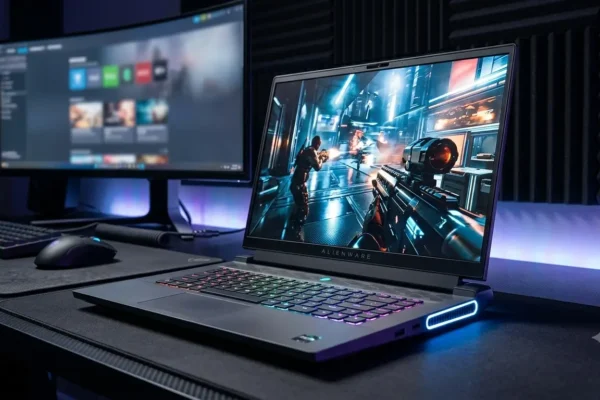
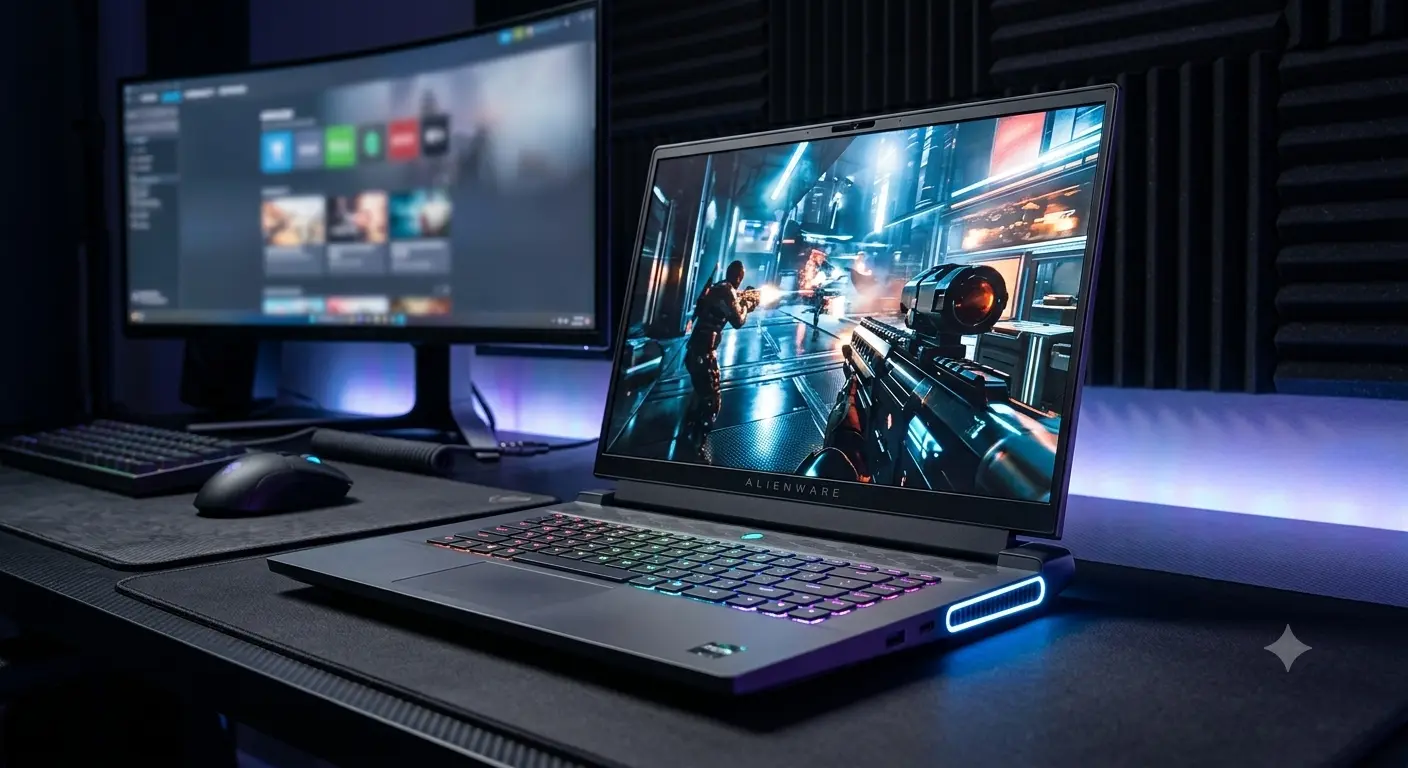
- Alienware 18 Area-51 (Current Flagship Line): Designed around high-wattage Intel Core Ultra HX-series processors and NVIDIA GeForce RTX 40-Series and RTX 50-Series Laptop GPUs. Built on Dell’s updated thermal chassis architecture, it features full-power Total Graphics Power (TGP) delivery, quad-fan Cryo-Tech cooling, and extensive RAM/SSD upgradeability.
Alienware 18 Model Status Matrix
| Model Name | Market Status | Chassis & Thermal Style | Max GPU Configuration | RAM Upgradeability | Primary Target Audience |
|---|---|---|---|---|---|
|
M18x R1
|
Discontinued (2011)
|
Heavy dual-power brick classic
|
Dual GTX 580M SLI
|
Dual-Channel DDR3
|
Tech collectors & retro PC builders
|
|
M18x R2
|
Discontinued (2012)
|
Heavy dual-power brick classic
|
Dual GTX 680M SLI
|
Quad-Channel DDR3
|
Tech collectors & secondhand tinkers
|
|
18 Area-51
|
Current Flagship
|
Legend 3.0 Anodized Aluminum
|
RTX 4090 / RTX 5090 (175W+ TGP)
|
Dual DDR5 SO-DIMM (Upgradeable)
|
Hardcore gamers, creators, desktop-replacement seekers
|
Why Choose an 18-Inch Alienware Laptop?
Moving up to an 18-inch laptop is a deliberate choice. Here is what you gain—and what you trade away—compared to 16-inch machines:
The Advantages
- Maximum Sustained Power Limits (TGP): Smaller laptops often limit GPU power draw to 115W–140W to keep temperatures controllable. The 18 Area-51 feeds its GPU with the full 175W+ Maximum TGP alongside high-wattage CPU boost states.
- Superior Thermal Volume: The massive internal chassis volume allows for larger vapor chambers, four high-velocity fans, and broader heatsinks, keeping keyboard surface temperatures comfortable during hours of continuous load.
- Expansive 16:10 Screen Real Estate: An 18-inch 16:10 display provides over 14% more viewable screen space than a 16-inch panel, making HUD elements easier to read and multi-window creative workflows far cleaner.
The Trade-Offs
- Weight & Footprint: Weighing roughly 8.5 to 9.0 lbs (3.8 to 4.1 kg) plus a sizable 330W/360W GaN power adapter, this machine is meant for desk-to-desk transport rather than casual cafe hopping.
- Battery Drain: Even with hybrid graphics switching, an 18-inch screen backlight and heavy background hardware drain the battery quicker than smaller, lower-wattage laptops.
Performance & Hardware: CPUs, GPUs, Thermals, and Benchmarks
Processor Options (CPU)
Current 18-inch Area-51 models utilize enthusiast-grade HX-series processors:
- Intel Core Ultra 7 265HX: 20 cores / 20 threads with aggressive clock speeds. Outstanding performance for 1440p and 4K gaming without thermal bottlenecking.
- Intel Core Ultra 9 285HX: 24 cores / 24 threads with maximum multi-threaded performance. Built for gamers who stream simultaneously, render 3D animation, or compile large codebases.
Graphics Tiers (GPU) & Frame Rate Expectations
The graphics card determines native resolution performance. Here is what to expect at 2560×1600 (QHD+) and 4K resolutions:
- GeForce RTX 4080 / RTX 5070 Ti (12GB VRAM): Delivers 95–130 FPS in titles like Cyberpunk 2077, Helldivers 2, and Space Marine 2 at 1600p High/Ultra settings with DLSS Quality.
- GeForce RTX 4090 / RTX 5080 (16GB VRAM): Comfortably exceeds 120+ FPS at 1600p Max Settings with full Ray Tracing enabled. Perfect for high-refresh competitive gaming and heavy VR setups.
- GeForce RTX 5090 Laptop GPU (16GB–24GB VRAM Tier): The pinnacle of mobile graphics. Handles 4K external gaming displays and massive AI local model generation workflows with headroom to spare.
Advanced Cryo-Tech Cooling Architecture
To handle sustained total system power exceeding 240W, Dell equips the 18 Area-51 with:
- Quad-Fan Cryo-Tech Layout: Four independent fans pull cool air from top and bottom vents and push heat across four copper heat pipe channels.
- Element 31 Liquid Metal: Alienware’s proprietary Gallium-Silicone thermal interface material applied on both CPU and GPU dies for superior heat transfer.
- Vapor Chamber Technology: A oversized vapor chamber covering major power delivery components prevents thermal throttling during extended gaming marathons.
Display Options: 18-Inch Visuals
Display options on the Alienware 18 Area-51 prioritize speed, clarity, and color depth:
+-------------------------------------------------------------+
|                   18-inch 16:10 Display Panel               |
|                   2560 x 1600 (QHD+) Resolution             |
|                                                             |
|  - 165Hz / 300Hz Refresh Rate Options                       |
|  - 3ms Response Time with Overdrive                         |
|  - 100% DCI-P3 Color Gamut (~500 Nits Brightness)           |
|  - NVIDIA G-Sync + Advanced Optimus (Dynamic Display Switch)|
|  - ComfortView Plus Hardware Low Blue Light                 |
+-------------------------------------------------------------+
- QHD+ (2560×1600) 165Hz / 300Hz: The ideal resolution for an 18-inch panel. Pixel density is crisp, text is razor-sharp, and native framerates are far easier to hit than on taxing native 4K laptop panels.
- 100% DCI-P3 Color Coverage: Provides rich visual fidelity for cinematic games and professional color-accurate photo/video editing.
- NVIDIA Advanced Optimus: Dynamically routes display output directly from the GeForce GPU when gaming for minimal latency, switching back to integrated graphics when running on battery power.
Build Quality, Keyboard, Ports, and Upgradeability
Chassis & Keyboard Choices
Constructed with an anodized aluminum outer shell and magnesium-alloy chassis bracing, the Alienware 18 Area-51 feels dense and durable.
Keyboard options include:
- AlienFX Per-Key RGB Membrane: Tactile response with 1.8mm key travel and vibrant customization.
- CherryMX Ultra-Low Profile Mechanical Switches: Mechanical switches with gold-plated contacts and crisp tactile click, highly recommended for mechanical keyboard enthusiasts.
Internal Upgradeability
Unlike thin-and-light laptops that solder components, the 18 Area-51 offers excellent upgradeability:
- RAM: Dual DDR5 SO-DIMM slots supporting up to 64GB or 128GB of aftermarket DDR5 memory.
- Storage: Up to three or four M.2 NVMe PCIe Gen 4/Gen 5 SSD slots (configuration dependent), allowing for multi-terabyte RAID storage setups.
Port Selection
- 2x Thunderbolt 4 / USB4 (Power Delivery & DisplayPort)
- 1x USB 3.2 Gen 2 Type-C
- 3x USB 3.2 Gen 1 Type-A
- 1x HDMI 2.1 Output
- 1x Mini DisplayPort 1.4
- 1x 2.5 Gbps RJ-45 Ethernet Port
- 1x Full-Size SD Card Reader
- 1x 3.5mm Headset Jack
Battery Life and Portability Expectations
Let’s be direct: no 18-inch flagship gaming laptop is built for all-day battery life.
- Light Productivity Runtime: With screen brightness set to 50%, 60Hz mode active, RGB disabled, and integrated graphics selected, expect 3.5 to 5 hours of light web browsing or document editing from the 97Wh battery.
- Gaming on Battery: Gaming without being plugged into the wall drops GPU power draw by over 60% and drains the battery in 45 to 70 minutes.
- Charger Design: Modern Area-51 configurations ship with a high-density Gallium Nitride (GaN) power brick that is noticeably slimmer and lighter than older 330W power bricks, though it still adds weight to your bag.
Pricing & Value (US Street Prices in USD)
Pricing on the US Dell site and major retailers like Best Buy varies depending on seasonal promotions, holiday sales, and custom configurations. Below are approximate US street price ranges for 2025–2026.
Current New Models (Alienware 18 Area-51)
- Base Config (Core Ultra 7, RTX 4080 / 5070 Ti, 16GB RAM, 1TB SSD): $2,399 – $2,699
- Mid-Range Config (Core Ultra 9, RTX 4090 / 5080, 32GB RAM, 2TB SSD): $2,899 – $3,399
- Flagship Config (Core Ultra 9, RTX 5090, 64GB RAM, 4TB SSD, CherryMX): $3,699 – $4,499+
Legacy / Discontinued Models (Refurbished & Collector Markets)
- Alienware M18x R1 / R2 (Used / Vintage): $350 – $750 (Varies based on collector condition, working dual GPUs, and cosmetic shape).
Recommended Configurations by Budget and Use Case
| Budget / Primary Use | Recommended Model & Configuration | Target Price Range | Key Strengths |
|---|---|---|---|
|
Best Value Desktop Replacement
|
18 Area-51: Core Ultra 7, RTX 4080 / 5070 Ti,
32GB RAM, 1TB SSD
|
$2,499 – $2,699
|
High 1600p frame rates, full TGP power delivery,
upgradeable memory.
|
|
Max FPS 1440p / 4K Gaming
|
18 Area-51: Core Ultra 9, RTX 4090 / 5080,
32GB RAM, 2TB SSD
|
$2,999 – $3,399
|
Max settings Ray Tracing, 16GB VRAM buffer,
high sustained clock speeds.
|
|
Heavy Content Creation & Streaming
|
18 Area-51: Core Ultra 9, RTX 5090,
64GB RAM, 4TB SSD, CherryMX
|
$3,799 – $4,299
|
Extreme multi-core rendering, multi-drive storage capacity,
tactile mechanical keys.
|
If You Are Considering a Used M18x R1 or R2
If you are considering a vintage M18x model on eBay, keep these caveats in mind:
- Driver Compatibility: Modern games require up-to-date graphics drivers that legacy mobile Kepler/Fermi GPUs no longer support.
- Power Supply Availability: Original dual-adapter cables and high-wattage power bricks for M18x models can be difficult and expensive to replace.
- Use Case: Buy these strictly for retro gaming, collecting, or running vintage Windows 7 hardware setups.
Common Mistakes to Avoid When Buying an Alienware 18
- Buying an M18x Expecting Modern Performance: Do not confuse vintage M18x R1/R2 listings with current Alienware 18 laptops. M18x machines are legacy products from 2011–2012.
- Skipping 32GB RAM on Purchase: While memory is upgradeable on the Area-51, modern games and content creation software push past 16GB easily. Order 32GB out of the box or budget for an immediate upgrade.
- Assuming It Will Fit in Standard 15″/16″ Backpacks: An 18-inch laptop requires an oversized backpack or dedicated gaming bag designed for 18-inch dimensions.
- Buying Without Checking Dell Discounts: US buyers should look for stacked sign-up coupons, Military/Student discounts, or Dell Rewards cashback promotions before purchasing full price.
Frequently Asked Questions (FAQs)
Is the Alienware 18 worth it in 2026?
Yes, for users who need maximum desktop performance in a transportable form factor. If you prioritize maximum GPU wattage, expansive 18-inch screen space, and cool surface temperatures over ultra-light portability, the Alienware 18 Area-51 is worth the investment.
Alienware 16 vs 18 – which should I buy?
Choose the Alienware 16 (such as the m16 R2) if you carry your laptop daily to class, work, or travel. Choose the Alienware 18 Area-51 if your laptop will live on a desk 80% of the time as a stationary gaming rig and performance is your top priority.
What is the best Alienware 18 configuration?
The sweet spot for performance and value is an Alienware 18 Area-51 configured with an Intel Core Ultra 9 processor, NVIDIA RTX 4090 or RTX 5080 graphics, 32GB DDR5 RAM, and a 2TB NVMe SSD. This combination easily drives the 18-inch 1600p 165Hz/300Hz panel at maximum settings.
Are Alienware M18x R1/R2 still good buys?
As primary modern gaming machines, no. The M18x R1 and M18x R2 are legacy laptops over a decade old. They lack support for modern DirectX features, modern Windows versions, and modern game drivers. They are only recommended for PC hardware collectors and retro enthusiasts.
Can you upgrade the RAM and SSD on the Alienware 18 Area-51?
Yes. The Alienware 18 Area-51 features two accessible DDR5 SO-DIMM RAM slots and up to three or four M.2 NVMe SSD slots, making future memory and storage expansion quick and easy.
Summary & Final Recommendation
The Alienware 18 Area-51 stands as Dell’s flagship statement for enthusiasts who refuse to compromise on mobile gaming hardware. By pairing full-wattage graphics cards with quad-fan Cryo-Tech cooling and an expansive 18-inch display, it delivers a true desktop replacement experience.
- For maximum value: Look for a Core Ultra 7 configuration paired with an RTX 4080 / RTX 5070 Ti.
- For ultimate performance: Opt for the Core Ultra 9 paired with an RTX 4090 or RTX 5080/5090 for top-tier frame rates and multi-year futureproofing.
If you prefer a more portable 16-inch form factor that easily fits into standard backpacks without sacrificing graphics performance, check out our complete Dell Alienware 16 guide.