


The Ultimate Dell Alienware 16-Inch Gaming Laptop Guide (2026 Edition)
Finding the right balance between massive screen real estate and manageable portability has always been a battle in PC gaming. For years, gamers had to choose between compact 15-inch machines that thermal-throttled under load or massive 17-inch “laptops” that required a dedicated duffel bag.
Enter the 16-inch 16:10 form factor. Dell’s Alienware line has embraced this sweet spot, offering machines that fit easily into a standard backpack while delivering desktop-grade performance. However, navigating the Alienware 16 lineup can be confusing. Dell redesigned its chassis architecture, changing how models are categorized and retiring older designs.
If you are shopping for an Alienware 16-inch gaming laptop in the US today, you need to know which models are current, which are discontinued legacy units on the refurbished market, and how to allocate your budget effectively. This guide breaks down the full lineup, performance tiers, display panels, thermal architecture, and real-world gaming performance to help you make an informed choice.
Quick Verdict: Best Alienware 16 Laptops at a Glance
| Category / Use Case | Recommended Model | Core Specifications | Why It Wins |
|---|---|---|---|
| Best Value & Overall | Alienware m16 R2 | Intel Core Ultra 7 155H, RTX 4060/4070, 16GB DDR5, 240Hz QHD+ | Trims the bulky rear shelf, introduces Stealth Mode for work/school, and offers upgradeable RAM. |
| Best Premium Flagship | Alienware x16 R2 | Intel Core Ultra 9 185H, RTX 4080/4090, 32GB LPDDR5X, 240Hz DCI-P3 | All-anodized metal chassis, vapor chamber cooling, CherryMX keys option, and creator-grade colors. |
| Best Mainstream Gaming | Alienware 16 Aurora | Intel Core 7 / Ultra 7, RTX 4060 / 50-Series, 16GB DDR5, 240Hz QHD+ | Streamlined chassis, solid thermal headroom, and competitive US street pricing. |
| Best Desktop Replacement | Alienware 16 Area-51 | Top-tier Intel CPU, RTX 4090 / 50-Series (Max TGP), 32GB+ RAM | Maximum power limits and enthusiast thermal capacity in a 16-inch footprint. |
Alienware 16 Lineup Overview: Discontinued vs. Current Models
When browsing Dell’s website, Amazon, Best Buy, or secondhand markets like eBay and Dell Outlet, you will encounter two distinct eras of Alienware 16-inch laptops. Knowing the difference between discontinued legacy stock and current generation hardware will keep you from overpaying for outdated tech.
Discontinued / Previous-Generation Models (Legacy)
The original 16-inch Legend 3.0 lineup launched with a prominent rear thermal shelf extending past the display hinge. Dell US has officially discontinued new factory production of these models:
- Alienware m16 R1 (Discontinued): Launched with 13th Gen Intel / AMD Ryzen 7000 processors and RTX 40-series GPUs. It was a thermal powerhouse, but it was heavy (over 7 lbs) and featured a deep rear hump that made it awkward to fit into standard laptop bags.
- Alienware x16 R1 (Discontinued): Alienware’s first thin-and-light 16-inch flagship, featuring an ultra-slim metal body, an RGB stadium light ring around the rear thermal port, and soldered memory.
Buyer’s Note: If you see an m16 R1 or x16 R1 listed as “new” on third-party marketplace sites, be cautious. These are legacy inventory or open-box units. They can still be solid purchases on the refurbished market if priced below $1,100–$1,300, but they should not be purchased at original full retail prices.
Current & Recent Models (Primary Buying Focus)
Dell revised its lineup to address fan feedback regarding weight, depth, and daily usability. As of late 2026, Dell’s US lineup and authorized retail channels center around these 16-inch options:
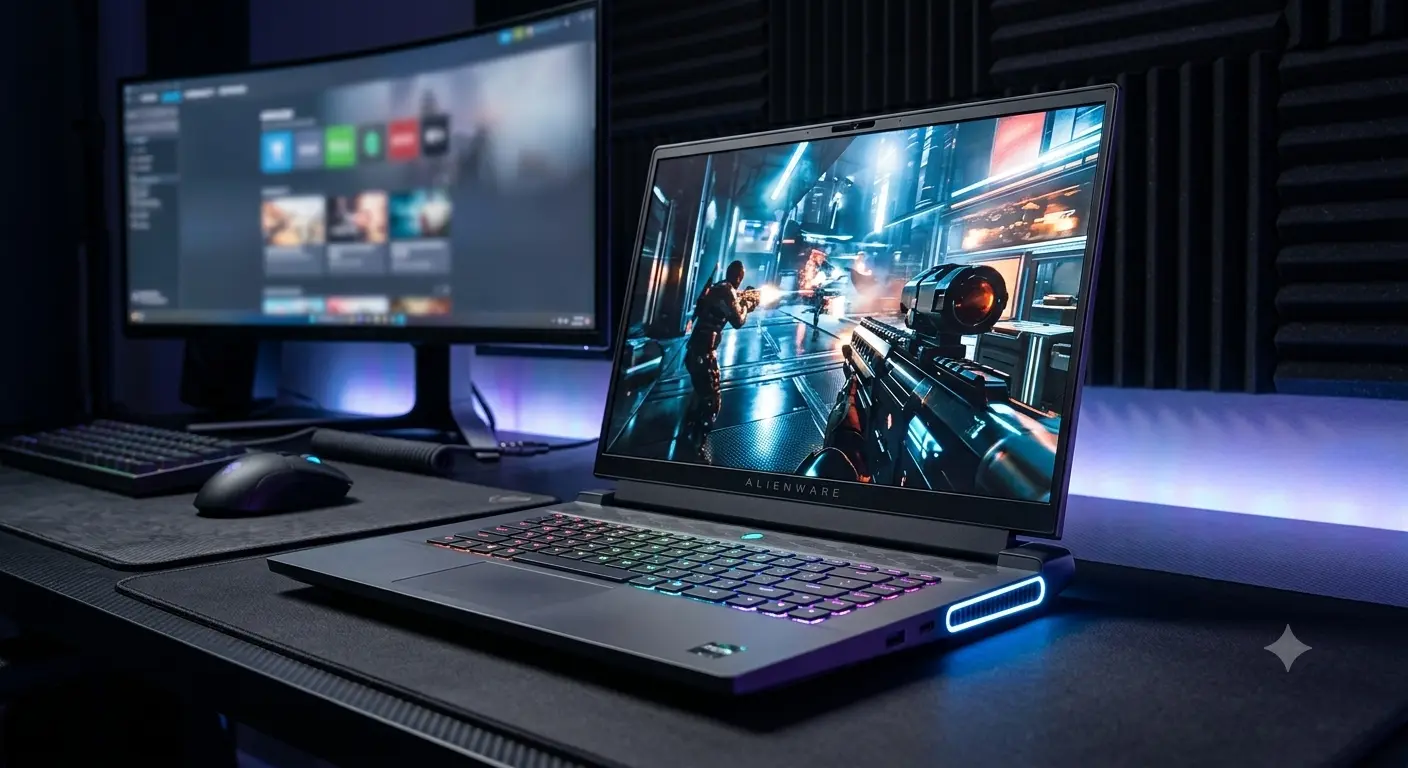
- Alienware m16 R2: A ground-up redesign of the m-series. Dell removed the protruding rear thermal shelf, shrinking the laptop’s footprint by 15%. It features a specialized Stealth Mode hotkey that instantly disables RGB lighting and switches fan profiles to silent for classroom or office environments.
- Alienware x16 R2: The luxury flagship option. It retains the ultra-sleek, all-metal Legend 3.0 aesthetic with an integrated rear stadium light ring, while upgrading internal silicon to Intel Core Ultra processors and high-wattage graphics cards up to the RTX 4090.
- Alienware 16 Aurora & 16X Aurora: Mainstream gaming configurations engineered for balanced power draw and value. These models streamline the thermal design and provide direct competition to mid-tier gaming laptops without the extreme price tag of the luxury x-series.
- Alienware 16 Area-51: Built for enthusiasts who want maximum wattage and desktop-replacement performance within a 16-inch form factor, featuring peak TGP power delivery and Alienware’s most robust internal cooling layouts.
Alienware 16 Model Status Matrix
| Model Name | Market Status | Chassis Style | Max GPU Tier | RAM Upgradeability | Primary Target Audience |
|---|---|---|---|---|---|
| m16 R1 | Discontinued | Deep rear thermal hump | RTX 4090 (175W) | Dual SO-DIMM (Upgradeable) | Budget secondhand buyers seeking high raw TGP |
| x16 R1 | Discontinued | Thin metal + RGB ring | RTX 4090 (175W) | Soldered LPDDR5X | Refurbished luxury buyers |
| m16 R2 | Current / Recent | Flush hinge (No rear hump) | RTX 4070 (140W) | Dual SO-DIMM (Upgradeable) | Gamers, students, and hybrid workers |
| x16 R2 | Current / Recent | Thin metal + RGB ring | RTX 4090 (175W) | Soldered LPDDR5X | Enthusiasts, creators, max-settings gamers |
| 16 Aurora | Current / Recent | Modern streamlined m-series | RTX 4070 / 50-Series | Dual SO-DIMM (Upgradeable) | Mainstream gamers looking for strong value |
| 16 Area-51 | Current / Recent | Heavy-duty enthusiast chassis | Max-TGP Flagships | Dual SO-DIMM (Upgradeable) | Hardcore gamers wanting desktop-class power |
Key Differentiators Across Alienware 16 Models
Understanding how Dell segments these machines makes choosing between them straightforward:
1. Chassis Philosophy & Footprint
The m16 R2 and 16 Aurora focus on practical mobility. By pushing the cooling hardware underneath the keyboard deck rather than extending it out the back, the m16 R2 fits into standard 15-inch laptop sleeves. The x16 R2, by contrast, keeps the rear thermal shelf to maintain a thin 0.7-inch side profile, prioritizing slim luxury and perimeter RGB lighting over minimal depth.
2. Thermal Cooling Architecture
Alienware utilizes two distinct thermal philosophies:
- Cryo-Tech Dual-Fan Setup (m16 R2 / Aurora): Redesigned airflow paths pull air through top and bottom vents and exhaust out the sides and rear, keeping keyboard surface temperatures cool during long gaming sessions.
- Cryo-Tech Quad-Fan with Element 31 (x16 R2 / Area-51): Features four internal fans paired with Alienware’s proprietary Element 31 gallium-silicone liquid metal matrix on both CPU and GPU. This allows the thin x16 chassis to dissipate heat from high-wattage GPUs (up to 175W Total Graphics Power).
Performance & Hardware Configuration Options
Processor Tiers (CPU)
Current 16-inch models feature Intel’s Core Ultra processor architecture (Series 1 and Series 2) featuring dedicated NPU AI acceleration cores:
- Intel Core Ultra 7 155H / Core 7 240H: Outstanding balance of multi-threaded gaming performance and power efficiency. Ideal for 1440p gaming and everyday multi-tasking.
- Intel Core Ultra 9 185H / High-Series Core Ultra: Found in high-end x16 R2 and Area-51 models, providing higher single-core boost clocks for heavy content creation, 3D rendering, and cpu-intensive simulation games.
Graphics Tiers (GPU) & Real-World Frame Rates
Your GPU choice dictates resolution limits and target frame rates. Here is what you can expect at native 1600p (2560×1600) resolution:
- NVIDIA GeForce RTX 4050 / RTX 5050 (6GB-8GB VRAM): Best for 1080p esports titles (200+ FPS in Valorant, CS2, Overwatch 2). Plays AAA games at 1600p with medium settings and DLSS enabled (~50–65 FPS).
- NVIDIA GeForce RTX 4060 / 4070 (8GB VRAM): The sweet spot for most gamers. Delivers 70–95 FPS in modern AAA titles (Helldivers 2, Cyberpunk 2077, Baldur’s Gate 3) at 1600p High settings with DLSS 3 Frame Generation.
- NVIDIA GeForce RTX 4080 (12GB VRAM) / RTX 4090 (16GB VRAM) / RTX 50-Series Top Tier: Found in the x16 R2 and Area-51. Handles maxed-out Ray Tracing at native 1600p, comfortably exceeding 100–140 FPS in demanding titles without needing aggressive upscaling.
Memory (RAM) & Storage Considerations
Pay close attention to memory upgradeability before buying:
- m16 R2 / 16 Aurora / 16 Area-51: Feature standard dual DDR5 SO-DIMM slots. You can buy a base 16GB config and manually upgrade to 32GB or 64GB later for a fraction of the price.
- x16 R2: Uses soldered LPDDR5X RAM running at high clock speeds (up to 7467 MT/s). It cannot be upgraded after purchase. If you plan to stream, edit 4K video, or run heavy virtual machines, buy the 32GB configuration upfront.
All 16-inch Alienware models offer two M.2 NVMe PCIe Gen 4 SSD slots, making storage expansion quick and easy.
Display Options: Choosing the Right Panel
Dell equips its 16-inch line with 16:10 aspect ratio panels, providing extra vertical workspace compared to traditional 16:9 widescreen displays.
+-------------------------------------------------------------+
|                     16-inch 16:10 Display                   |
|                   2560 x 1600 (QHD+) Resolution             |
|                                                             |
|  - 240Hz Refresh Rate / 3ms Response Time                   |
|  - NVIDIA G-Sync + Advanced Optimus (Dynamic Display Switch)|
|  - ComfortView Plus Low Blue Light Hardware                 |
|                                                             |
|  m16 R2 / Aurora 16: ~100% sRGB Color Gamut (300 nits)      |
|  x16 R2 / Area-51:    ~100% DCI-P3 Color Gamut (350+ nits)   |
+-------------------------------------------------------------+
Display Specification Breakdown
- 240Hz QHD+ (2560×1600): Standard across most m16 R2 and x16 R2 models. It features a fast 3ms response rate and full NVIDIA G-Sync support to eliminate screen tearing.
- Color Gamut Differences: The m16 R2 panel covers ~100% of the sRGB color space (300 nits brightness), which looks vibrant for gaming. The x16 R2 panel elevates color coverage to ~100% DCI-P3 (350+ nits brightness), making it suitable for professional video editing and color grading.
- NVIDIA Advanced Optimus (DDS): Automatically switches graphics routing between the integrated GPU (for battery saving) and dedicated GeForce GPU (for max gaming performance) without requiring a system reboot.
Build Quality, Keyboard, Ports, and Upgradeability
Chassis Build & Keyboards
Alienware laptops utilize anodized aluminum lids and magnesium-alloy inner frames. Keyboards are available in two main configurations:
- AlienFX Per-Key RGB Membrane: Tactile with 1.8mm key travel, featuring customizable RGB lighting zones via Alienware Command Center.
- CherryMX Ultra-Low Profile Mechanical Switches: Optional on higher-end configurations (primarily x16 R2). Features stainless-steel mechanical switches with gold-plated contacts for crisp physical feedback and actuation.
                          [Stealth Mode Hotkey: F2]
                                      |
       +------------------------------v------------------------------+
       | - Instantly turns off all RGB chassis & keyboard lighting   |
       | - Flips thermal profile to "Quiet" fan mode                 |
       | - Adjusts performance profile for maximum battery longevity |
       +-------------------------------------------------------------+
Port Selection
Alienware 16 laptops feature a generous port array along the rear and sides:
- 1x Thunderbolt 4 / USB4 (Power Delivery & DisplayPort)
- 1x USB 3.2 Gen 2 Type-C (DisplayPort)
- 2x USB 3.2 Gen 1 Type-A (One with PowerShare)
- 1x HDMI 2.1 Output
- 1x MicroSD Card Reader
- 1x 2.5 Gbps RJ-45 Ethernet Port (on m16 R2 / Aurora)
- 1x 3.5mm Headset Jack
Battery Life and Portability Expectations
Gaming laptops require significant power under load, but recent processor efficiency improvements have helped non-gaming battery life.
- Alienware m16 R2 (90Wh Battery): With Stealth Mode engaged (integrated graphics active, screen at 60Hz, RGB off), real-world web browsing and office productivity lasts between 5.5 to 7 hours.
- Alienware x16 R2 (96Wh Battery): Due to higher-wattage background components and a brighter DCI-P3 display, light productivity runtime sits around 4 to 5.5 hours.
- Gaming on Battery: Like all high-performance machines, gaming on battery power drops GPU power limits drastically and drains the battery in 1 to 1.5 hours. Always plug in the included power adapter for full TGP gaming performance.
Weight-wise, the m16 R2 comes in at approximately 5.75 lbs (2.61 kg), making it vastly more portable than the older 7.2 lb m16 R1.
Pricing & Value by Model (US Street Prices in USD)
Note: Pricing in the US gaming laptop market fluctuates frequently based on seasonal sales (Black Friday, Prime Day, Back-to-School discounts). Below are typical estimated price ranges as of 2025–2026.
Current New Models
- Alienware m16 R2 / 16 Aurora:
- Base Config (Core Ultra 7, RTX 4050/4060, 16GB RAM): $1,350 – $1,599
- Mid-Range Config (Core Ultra 7, RTX 4070, 16GB/32GB RAM): $1,699 – $1,999
- Alienware x16 R2 / 16X Aurora:
- Mid-Range Config (Core Ultra 7/9, RTX 4070, 32GB RAM): $2,099 – $2,399
- High-End Config (Core Ultra 9, RTX 4080/4090, 32GB RAM): $2,799 – $3,499
- Alienware 16 Area-51:
- Enthusiast Tier (Top CPU, Max-TGP RTX 4090 / 50-Series): $2,899 – $3,899+
Discontinued / Legacy Models (Refurbished & Secondhand Outlets)
- Alienware m16 R1 (Used / Refurbished): $950 – $1,350 (Depending on RTX 4060 vs RTX 4080 config)
- Alienware x16 R1 (Used / Refurbished): $1,150 – $1,650
Recommended Configurations by Budget and Use Case
| Budget / Primary Use | Recommended Model & Configuration | Target Price Range | Key Strengths |
|---|---|---|---|
| Best Value Overall | m16 R2: Core Ultra 7 155H, RTX 4060, 16GB RAM, 1TB SSD | $1,399 – $1,599 | Excellent 1080p/1440p gaming, upgradeable RAM, Stealth Mode versatility. |
| Sweet Spot 1440p Gaming | m16 R2 / 16 Aurora: Core Ultra 7, RTX 4070, 16GB/32GB RAM, 1TB SSD | $1,699 – $1,899 | High frame rates in AAA titles, fast 240Hz screen, strong thermal management. |
| Creator & Premium Gaming | x16 R2: Core Ultra 9 185H, RTX 4080 12GB, 32GB RAM, 1TB SSD | $2,699 – $2,999 | DCI-P3 creator screen, vapor chamber cooling, ultra-slim luxury chassis. |
| Extreme Desktop Replacement | 16 Area-51 / x16 R2: Core Ultra 9, RTX 4090 16GB, 32GB RAM, 2TB SSD | $3,299 – $3,699 | Maximum sustained TGP graphics power for uncompromised 1600p Ray Tracing. |
If You Are Considering a Used m16 R1 or x16 R1
If you find a refurbished m16 R1 or x16 R1 at a deep discount, keep these caveats in mind:
- Inspect Battery Wear: Secondhand gaming units often have degraded lithium-ion cells. Check cycle counts using Windows Battery Report (
powercfg /batteryreport). - Check Dimensions: Make sure your backpack can fit the m16 R1’s deep rear shelf (it adds nearly two inches of depth compared to the m16 R2).
- Budget for a Heavy Power Adapter: Legacy m16 R1 configurations with RTX 4080/4090 GPUs ship with a heavy 330W power adapter brick.
Common Mistakes to Avoid When Buying an Alienware 16
- Buying a Discontinued Model Thinking It’s Current Generation: Third-party sellers often list the discontinued Alienware m16 R1 at near-original retail prices. Unless it is discounted heavily under $1,200, opt for the newer m16 R2 or 16 Aurora.
- Underestimating Soldered Memory on the x16 R2: Purchasing an Alienware x16 R2 with 16GB of RAM assuming you can upgrade it down the road will lead to regret. The RAM is soldered to the motherboard—always buy 32GB upfront.
- Expecting Long Battery Life Without Tuning: Running the m16 R2 in full Performance Mode with maxed-out RGB will drain the battery in under two hours. Get into the habit of pressing F2 (Stealth Mode) when unplugged.
- Paying Full Retail on Dell US: Dell frequently offers 10%–15% discount coupons via email sign-ups, along with frequent seasonal promotions on the US store. Never pay full MSRP without checking for stacked discount codes.
Frequently Asked Questions (FAQs)
Which Alienware 16 model is best in 2026?
For the vast majority of buyers, the Alienware m16 R2 (configured with an Intel Core Ultra 7 and RTX 4060 or RTX 4070) is the best choice. It balances price, performance, thermal efficiency, and daily portability thanks to its revised chassis and Stealth Mode feature.
Is the Alienware 16 worth it in 2026?
Yes. The 16-inch 16:10 aspect ratio provides 11% more screen area than traditional 15.6-inch displays without making the laptop significantly larger. Paired with 240Hz refresh rates and Intel Core Ultra efficiency, Alienware’s current 16-inch lineup represents one of the most complete gaming laptop packages on the market.
Alienware 16 vs 18 – which should I buy?
Buy the Alienware 16 if you plan to carry your laptop in a backpack for school, work, or travel. Choose the Alienware 18 only if the laptop will spend 90% of its time on a desk as a stationary desktop replacement, as 18-inch machines weigh over 8 lbs and require massive power bricks.
Is the Alienware m16 R1 still worth buying in 2026?
The m16 R1 is only worth buying on the refurbished or secondhand market if you can find an RTX 4070 or RTX 4080 configuration priced significantly lower than a new m16 R2 (ideally under $1,150). Keep in mind that it is heavier and noticeably bulkier due to its rear thermal hump.
Are Alienware m16 R1 and x16 R1 still good buys?
They remain solid performance machines, but they are official legacy products no longer sold new by Dell US. Their primary downsides are battery efficiency, weight (m16 R1), and high original pricing. They only make sense at heavily discounted clearance or refurbished prices.
Can you upgrade RAM and SSD on an Alienware 16 laptop?
On the m16 R2, 16 Aurora, and 16 Area-51, both RAM (two DDR5 SO-DIMM slots) and storage (two M.2 NVMe SSD slots) are user-upgradeable. On the x16 R2, storage is upgradeable, but the LPDDR5X RAM is soldered to the motherboard and cannot be upgraded.
Summary & Final Recommendation
Dell’s redesign of the Alienware 16 lineup resolved the largest criticisms of previous generations. By retiring the bulky rear shelf on the m16 R2 and adding practical features like Stealth Mode, Dell created a laptop that transitions effortlessly between intense 1440p gaming sessions and quiet classroom or workplace environments.
- If your budget is under $1,800: Get the Alienware m16 R2 with an RTX 4060 or RTX 4070. It offers the best bang-for-your-buck performance, upgradeable memory, and great thermals.
- If you want luxury build quality and high-end specs: Choose the Alienware x16 R2 with an RTX 4080 or RTX 4090 and 32GB RAM for uncompromised performance and creator-grade visuals.



One thought on “The Ultimate Dell Alienware 16-Inch Gaming Laptop Guide (2026 Edition)”