



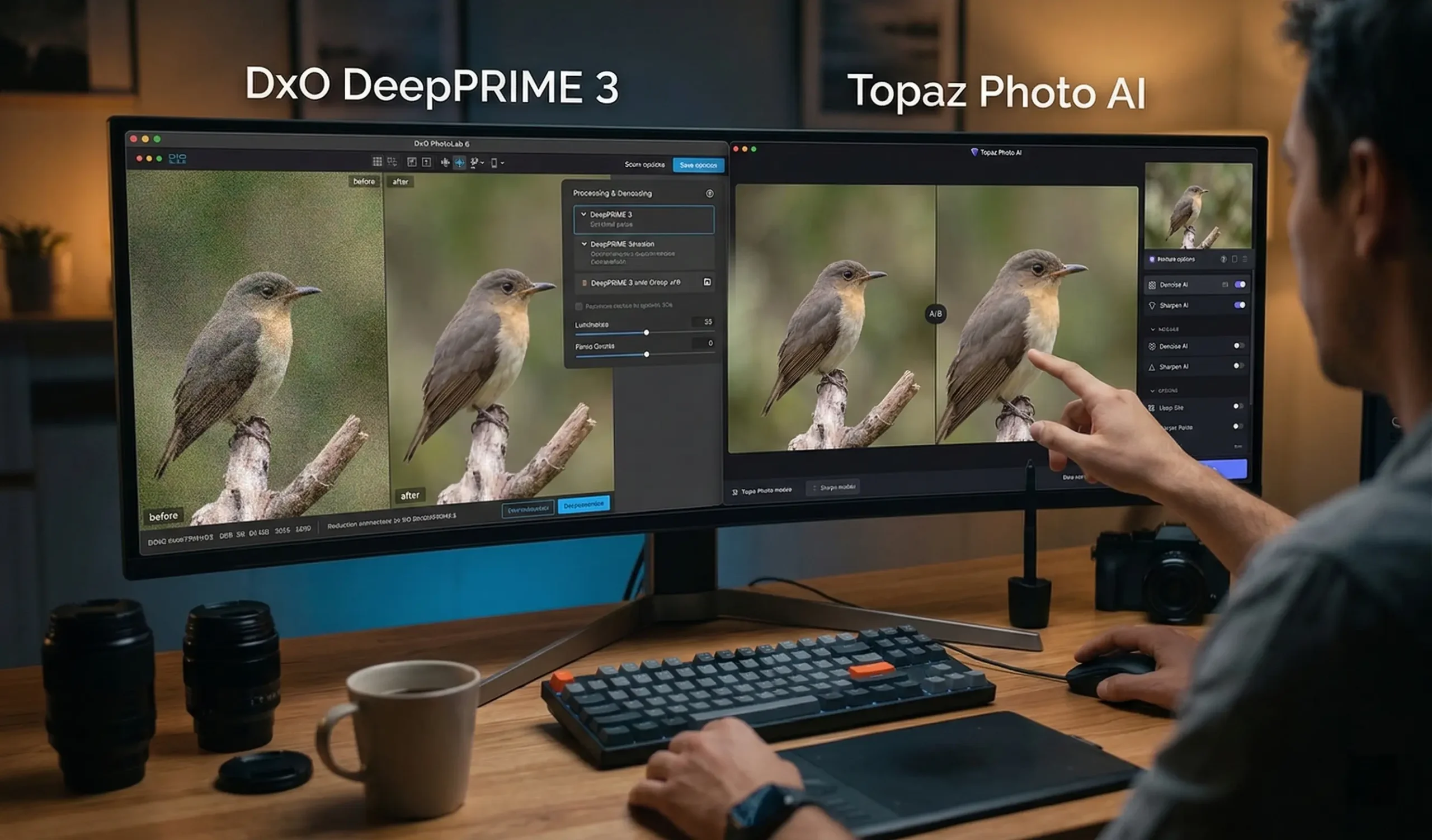
DeepPRIME 3 vs Topaz Photo AI: Quick Answer
If you want the cleanest possible RAW files with natural detail and a “set‑and‑forget” workflow, DeepPRIME 3 (in DxO PhotoLab / PureRAW) is usually the better choice. If you need an all‑in‑one tool for denoising, sharpening, and upscaling across RAW and JPEGs, Topaz Photo AI is more flexible and creator‑friendly.
Both rank among the best AI photo enhancement software today; your choice should follow your camera gear, editing stack, and whether you prioritize maximum RAW image quality (DeepPRIME 3) or versatile AI enhancements and upscaling (Topaz Photo AI).
What Is DeepPRIME 3?
DeepPRIME 3 is DxO’s latest AI engine for RAW noise reduction and demosaicing, built into DxO PureRAW 5 and PhotoLab 9. It denoises, demosaics, and corrects chromatic aberrations in a single pass, delivering very clean high‑ISO images with excellent fine detail and natural textures, especially from Bayer and X‑Trans sensors.
DeepPRIME 3 combines three steps—RAW demosaicing, noise reduction, and chromatic aberration correction—inside one neural‑network‑driven process. It is trained on a dataset significantly larger than previous DeepPRIME versions and leverages DxO’s camera‑ and lens‑specific “DxO Modules” to optimize sharpness, color, and lens corrections.
You access DeepPRIME 3 via:
- DxO PureRAW 5 – as a pre‑processor that outputs cleaned‑up linear DNGs or JPEGs for editing in Lightroom, Capture One, etc.
- DxO PhotoLab 9 – as part of a full RAW editor with local adjustments, AI masking, and full workflow tools.
DeepPRIME 3 sits alongside more intensive variants like DeepPRIME XD2/XD3, which push detail even further at the cost of additional processing time.
What Is Topaz Photo AI?
Topaz Photo AI is an AI‑powered desktop app that combines denoising, sharpening, deblurring, and upscaling in one tool. It works with RAW and non‑RAW images, as a standalone app or plugin, and uses an “Autopilot” system to analyze each photo and suggest optimal noise reduction, sharpening, and other fixes automatically.
Topaz Photo AI essentially merges Topaz DeNoise AI, Sharpen AI, and Gigapixel AI into a unified interface. Key capabilities include:
- AI noise reduction (Remove Noise AI) that targets luminance and color noise while trying to retain detail.
- AI sharpening and deblurring with modes for lens blur, motion blur, and general soft focus.
- AI upscaling to enlarge images up to several hundred percent while reconstructing detail.
- Batch processing and plugin support for Photoshop, Lightroom, and other editors.
Reviews generally praise its strong denoising and sharpening, though defaults can sometimes look a bit “plasticky” if not tuned carefully.
Key Differences Between DeepPRIME 3 and Topaz Photo AI (Table)
DeepPRIME 3 is a RAW‑focused denoising and demosaicing engine that excels at natural‑looking high‑ISO images and is tightly integrated into DxO PhotoLab and PureRAW. Topaz Photo AI is a broader AI enhancement suite covering denoise, sharpening, deblurring, and upscaling for RAW, JPEG, and TIFF in one app or plugin.
DeepPRIME 3 vs Topaz Photo AI: Core Feature Snapshot
Noise Reduction Comparison (AI Photo Denoise Software)
For pure noise reduction on RAW files, DeepPRIME 3 and its XD variants generally produce cleaner images with more preserved fine detail and more natural textures than Topaz Photo AI’s denoise at default settings. Topaz, however, can still deliver very good, cleaner results and offers more control over the look via strength/detail sliders.
DxO’s DeepPRIME technology performs denoising at the demosaicing stage, letting the neural network directly interpret RAW sensor data and remove noise while reconstructing detail and correcting chromatic aberrations. Independent reviews and user tests often find it yields superior high‑ISO detail retention compared with both Lightroom and Topaz noise reduction tools.
Topaz Photo AI’s Remove Noise AI is powerful and fast, capable of turning very noisy images into clean, usable files. Reviewers note that with careful tuning, it can look excellent, but default or “strong” settings may create over‑smoothed, plasticky surfaces and artifacts, especially in repeating patterns or foliage.
If Deepprime noise reduction quality on RAW is your top priority (wildlife, events, night photography), DeepPRIME 3 / XD is usually the safer bet; if you also want aggressive cleanup on non‑RAW assets (screenshots, phone JPEGs), Topaz Photo AI remains a top AI photo denoise software option.
AI Image Sharpening Comparison
DeepPRIME 3 focuses on subtle, lens‑aware sharpening baked into the RAW conversion stage, designed to look natural rather than dramatic. Topaz Photo AI, by contrast, offers dedicated AI photo sharpening tools with modes for motion blur, lens blur, and soft focus, making it stronger for rescuing slightly blurred images.
DxO uses its optic modules to apply lens‑specific sharpness optimization during or after DeepPRIME processing, producing crisp but realistic microcontrast and edge detail. Local adjustments in PhotoLab 9 now allow DeepPRIME‑based noise reduction and sharpening to be applied selectively to areas such as subjects or textures via AI masking.
Topaz Photo AI provides three sharpening modes (Standard, Motion Blur, Lens Blur) plus simple sliders to choose intensity and detail emphasis. Reviewers often find its deblurring capabilities “even more impressive than its noise reduction” on the right subjects, making it ideal for slightly soft or motion‑affected shots.
If you regularly need to fix minor camera shake, subject movement, or focus errors, Topaz Photo AI has the more aggressive and specialized sharpening toolkit, while DeepPRIME 3 prioritizes clean, optically accurate sharpness for technically solid captures.
RAW Photo Processing
DeepPRIME 3 is purpose‑built for RAW workflows, combining demosaicing, denoising, and chromatic aberration correction using detailed camera and lens profiles. Topaz Photo AI supports RAW input and can output DNGs, but its RAW engine is more general‑purpose and sits alongside JPEG/TIFF workflows rather than replacing a dedicated RAW converter.
DxO has decades of experience in RAW analysis and lens profiling, and DeepPRIME 3 extends this by using DxO Modules to correct lens softness, distortion, vignetting, and chromatic aberration alongside noise reduction. PhotoLab 9 adds full RAW editing with AI masking, local DeepPRIME, and advanced color and tone tools.
Topaz Photo AI can ingest RAWs from most major camera brands and some smartphones, then output enhanced DNGs for further editing in Lightroom or other hosts. However, it does not attempt full lens‑profiled RAW development; instead, it focuses on fixing noise, sharpness, and some lens issues like chromatic aberration and distortion.
If you already rely on Lightroom, Capture One, or similar, DeepPRIME 3 (via PureRAW) works beautifully as a first step in your RAW pipeline, whereas Topaz Photo AI is better viewed as a powerful sidecar for selective enhancement across both RAW and non‑RAW images.
Ease of Use and Workflow
Both tools are approachable, but in different ways. DeepPRIME 3 is usually “fire‑and‑forget” in DxO’s apps, slotting neatly into RAW‑first workflows. Topaz Photo AI’s Autopilot and plugin support make it very friendly for photographers, content creators, and designers who want quick, AI‑driven fixes without deeply managing RAW settings.
DxO PhotoLab and PureRAW present DeepPRIME options as part of a simple quality dropdown (e.g., DeepPRIME, DeepPRIME XD, DeepPRIME 3), often with sensible automatic settings. You can batch process hundreds of RAW files and send them directly into Lightroom catalogs or export finished JPEGs, minimizing manual tweaking.
Topaz Photo AI’s interface is modern and streamlined, showing side‑by‑side or slider previews and giving users a small set of intuitive controls. The Autopilot feature detects subjects and defects, recommending denoise, sharpen, and other enhancements automatically, and batch processing helps high‑volume shooters and content creators.
For photographers living in Lightroom or Capture One, DeepPRIME 3 feels like a seamless quality upgrade at the ingest stage. For mixed workflows covering social media content, graphics, and non‑RAW assets, Topaz Photo AI integrates more flexibly as a single enhancement hub.
Performance and Processing Speed
DeepPRIME 3 is designed to be faster than DxO’s more intensive DeepPRIME XD variants while still delivering high quality, but RAW denoising remains GPU‑heavy and slower than simpler methods. Topaz Photo AI is generally snappy on modern GPUs and often feels quicker in practice, especially for non‑RAW work, though speed varies by hardware and settings.
DxO positions DeepPRIME 3 as the “high‑quality but faster” option compared to DeepPRIME XD2/XD3, which focuses on maximum detail. User reports suggest DeepPRIME 3 can process large RAW files in roughly half the time of DeepPRIME XD on the same system, making it better suited for bulk processing without sacrificing too much quality.
DPReview’s evaluation of Topaz Photo AI noted that its denoising and sharpening tools are “rather swifter” than the very processor‑intensive DxO noise‑reduction algorithms, especially DeepPRIME XD. Real‑world reviewers similarly praise Topaz’s performance on high‑resolution images, provided you have a relatively modern GPU.
If speed is critical and your work often involves non‑RAW images, Topaz Photo AI has a slight edge. For RAW shooters, DeepPRIME 3 hits a better balance between speed and DeepPRIME‑class quality than DxO’s more extreme XD options.
Image Quality Results
For RAW high‑ISO shots, DeepPRIME 3 and its siblings often produce the most natural, detailed results on the market, especially when combined with DxO’s lens modules. Topaz Photo AI can match or exceed perceived sharpness and cleanliness on many images, but risks over‑processing if used aggressively.
Reviews and forum comparisons frequently describe DxO DeepPRIME / XD as “second to none” for RAW noise reduction, outperforming both Lightroom’s Enhance and Topaz for fine detail and texture realism. DeepPRIME 3 adds chromatic aberration correction in the same AI pass, leading to cleaner edges and better color alignment.
On the Topaz side, reviewers highlight impressive deblurring and strong detail recovery, especially when sharpening is balanced carefully. However, some tests show that Topaz can remove more noise than DeepPRIME but also smears microdetail and can produce uniform, slightly artificial surfaces—an issue that can be mitigated by dialing back strength and enhancing detail.
If “natural film‑like detail with minimal artifacts” is your aesthetic, DeepPRIME 3 usually wins. If you prefer punchy, ultra‑crisp renderings for web, social, or print and are willing to fine‑tune sliders, Topaz Photo AI delivers excellent perceived sharpness and clarity.
Pricing Comparison
DeepPRIME 3 comes via DxO PhotoLab 9 or PureRAW 5, both sold as perpetual licenses with optional paid upgrades (around 120–240 USD for new purchases, depending on the product). Topaz Photo AI has moved to a subscription model (Topaz Photo), with pricing around 199 USD per year or 39 USD per month, while legacy perpetual licenses are grandfathered.
Pricing snapshot (approximate, March 2026)
| Product | How you get DeepPRIME / Topaz | Typical new‑user price | Licensing model |
|---|---|---|---|
| DxO PureRAW 5 | Includes DeepPRIME 3 and DeepPRIME XD3. | About 119.99 USD new; 79.99 USD upgrade from v4. | Perpetual license; optional paid upgrades. |
| DxO PhotoLab 9 | Full RAW editor with DeepPRIME, XD2s, XD3 X‑Trans. | About 239.99 USD new; 119.99 USD upgrade. | Perpetual license; optional paid upgrades. |
| Topaz Photo (Photo AI) | Includes Topaz Photo AI functionality in subscription. | Around 199 USD/year or 39 USD/month (standard tier). | Subscription; perpetual licenses discontinued for new buyers. |
If you dislike subscriptions and want a one‑time purchase, DeepPRIME 3 via DxO is more attractive. If you are comfortable with subscriptions and want continuous updates plus cloud‑centric features from Topaz, the Topaz Photo plan is straightforward.
Best Use Cases for DeepPRIME 3
DeepPRIME 3 is ideal for photographers who shoot a lot of high‑ISO RAW—wildlife, events, astro, documentary—and want the cleanest possible files with natural detail in a repeatable workflow. It’s also a strong fit for anyone who prefers perpetual licensing and deep integration with DxO’s RAW and lens‑correction ecosystem.
Best‑fit scenarios for DeepPRIME 3:
- Wildlife and sports shooters need maximum detail in heavily cropped, noisy images.
- Wedding and event photographers are processing thousands of RAW files at varying ISOs.
- Landscape and travel photographers pushing dynamic range and lifting shadows from high‑ISO shots.
- Fujifilm X‑Trans shooters who benefit from the XD3 X‑Trans support in DxO’s latest engines.
- Photographers who already rely on Lightroom or Capture One and want a pre‑processing step that simply makes every RAW look better.
If your main question is “What’s the best AI photo enhancement software for RAW denoising alone?”, DeepPRIME 3 (plus XD variants) is often the top recommendation.
Best Use Cases for Topaz Photo AI
Topaz Photo AI is best for photographers, content creators, and designers who need a single tool to denoise, sharpen, deblur, and upscale a wide mix of RAW, JPEG, and PNG files. It especially suits social‑first workflows and projects where rescuing slightly blurred or low‑quality images adds real value.
Top use cases for Topaz Photo AI:
- Social media creators and YouTubers enhancing screen grabs, smartphone photos, and mixed assets.
- Photographers needing to salvage slightly blurred images with strong AI sharpening and deblurring.
- Graphic designers who need large, upscaled images for print, thumbnails, or composites.
- Content teams working with legacy low‑resolution or noisy images that must be repurposed.
- Users who want an AI‑first tool with an Autopilot mode for quick denoise/sharpen decisions.
For the keyword topaz photo ai review, the short version: it’s one of the most capable all‑round ai photo denoise software and AI photo sharpening tools available, particularly valuable when your inputs are not perfectly shot RAW files.
Pros and Cons of Each Tool
DeepPRIME 3 wins on RAW noise reduction quality, natural detail, and perpetual licensing but is narrower in scope and tied to DxO’s ecosystem. Topaz Photo AI is more versatile and creator‑oriented, with powerful sharpening and upscaling, yet it can overdo effects and now requires a subscription for new users.
DeepPRIME 3 (via DxO) – Pros
- Best‑in‑class RAW denoising with excellent detail retention and natural textures.
- Integrated lens corrections and chromatic aberration fixes using DxO Modules.
- Seamless integration into DxO PhotoLab (full editor) and PureRAW (pre‑processor).
- Perpetual licenses; you can skip upgrade cycles.
DeepPRIME 3 – Cons
- Focused on RAW; not a general AI enhancement tool for all file types.
- Requires a separate editor (e.g., Lightroom) if you use PureRAW instead of PhotoLab.
- Processing can still be relatively slow on older hardware, especially XD modes.
Topaz Photo AI – Pros
- Combines denoise, sharpen, deblur, and upscale in one interface.
- Excellent AI sharpening and motion‑blur correction.
- Works well with RAW, JPEG, and other formats; standalone or plugin.
- Autopilot and batch processing streamline high‑volume work.
Topaz Photo AI – Cons
- Defaults can oversimplify or introduce artifacts; requires judgment.
- RAW pipeline and lens corrections are less specialized than DxO’s.
- Moves to subscription for new customers, which some users dislike.
Final Verdict: Which AI Photo Tool Should You Choose?
Choose DeepPRIME 3 if you’re a photographer who cares most about RAW quality, natural detail, and a stable, perpetual license inside a traditional editing workflow. Choose Topaz Photo AI if you want one AI tool to denoise, sharpen, deblur, and upscale a wide variety of images for web, social, and design work.
Simple recommendations by user type
- Serious photographers (RAW‑centric) – DeepPRIME 3 (via PureRAW or PhotoLab) should usually be your first choice; it’s arguably the best AI photo enhancement software for RAW denoising and lens‑aware image quality.
- Hybrid shooters & content creators – Topaz Photo AI offers more versatility across file types plus powerful AI photo sharpening tools and upscaling, ideal for YouTube thumbnails, social content, and client graphics.
- Photo editors and retouchers – Consider a combo: DeepPRIME 3 for base RAW quality, then Topaz Photo AI selectively for tricky frames that need extra blur correction or enlargement.
- Budget‑ and license‑sensitive users – Prefer one‑time purchases and traditional ownership? Go with DxO. Comfortable with subscriptions and want rapid innovation and cloud‑driven AI? Topaz Photo’s model will suit you better.
Frequently Asked Questions
Which is better for pure RAW noise reduction?
DeepPRIME 3 (and DeepPRIME XD) in DxO PureRAW / PhotoLab usually deliver cleaner, more detailed RAW noise reduction than Topaz Photo AI, especially at very high ISOs.
Can I use DeepPRIME 3 and Topaz Photo AI together?
Yes. Many users run RAW files through DeepPRIME first, then selectively use Topaz Photo AI for extra sharpening, deblurring, or upscaling where needed.
Does Topaz Photo AI replace Lightroom or PhotoLab?
No. Reviews emphasize that Topaz Photo AI complements, but does not replace, a full editor; you still need Lightroom, PhotoLab, or similar for global color, tone, and cataloging.
Is DeepPRIME 3 available as a plugin?
DeepPRIME 3 is accessed inside DxO PureRAW and PhotoLab. PureRAW can integrate into Lightroom workflows, but DeepPRIME itself is not sold as a generic plugin like Topaz Photo AI.
Which is better for non‑RAW images and social media content?
Topaz Photo AI is usually better because it treats JPEGs, PNGs, and mixed assets as first‑class citizens, offering denoise, sharpen, and upscaling in one place.
What about long‑term cost?
DxO tools use perpetual licenses with periodic paid upgrades, so you can skip versions. Topaz Photo AI now sits inside a subscription model for new customers, so ongoing access depends on annual or monthly payments.